
793 editable science diagrams, one click away
Physics 265, chemistry 138, maths 130, electronics 260 — drawn for worksheets rather than for a screen. Insert one at the cursor and keep working on it: recolour a part, delete an arrow, add a label. One Ctrl+Z takes the whole insert back if it is not what you wanted.
Available now for Windows desktop Word. Which version can I install today?
- One-time US$39.99 licence
- 7 days free
- Works offline
- No account needed
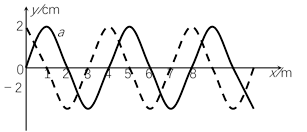
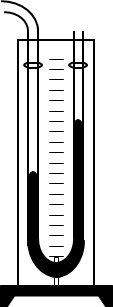
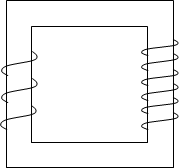
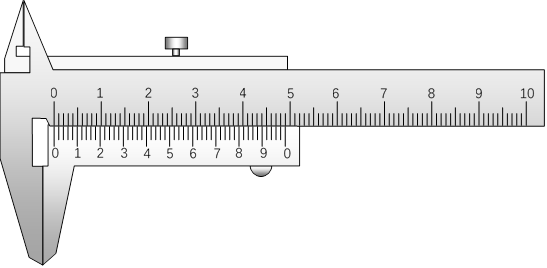
What you get
Every figure is a Word drawing, so it behaves like anything you made yourself.
793 ready-made drawings
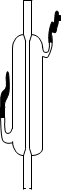
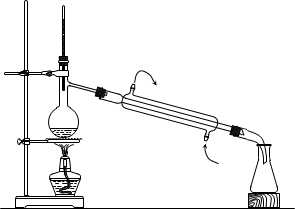
Physics apparatus, circuits and optical diagrams; chemistry glassware and apparatus; electronics symbols, gates and relays; maths graphs, geometry and the symbol sets.
Inserted as editable shapes
Not a screenshot. Recolour a part, change a line weight, ungroup it, move one node, or print it black and white — it stays a Word drawing.
One Ctrl+Z to undo
If the diagram is not what you wanted, one undo removes the entire insert. No stray lines left behind to hunt down on a worksheet.
Works with the wi-fi off
The library lives inside the template on the computer, so an exam room, a school laptop in airplane mode or a machine with no Microsoft account is fine.
Why teachers keep it installed
| Task | Drawing shapes by hand | With the library |
|---|---|---|
| A circuit diagram for tomorrow's worksheet | Twenty minutes of dragging, aligning and re-aligning | Search circuit, click, done in seconds |
| Changing one arrow on last year's sheet | Rebuild the whole drawing | Ungroup it and edit that one arrow |
| Making it print clearly in black and white | Guess at line weights | Line weights and fills are chosen for photocopying |
| An exam machine with no network | Needs nothing extra | Everything travels in the template |
| Trying something and changing your mind | Delete shapes one at a time | One Ctrl+Z |
889 drawings in 6 libraries: capacitor,
convex lens, titration, resistor — the search box matches names
and keywords as you type.
How it works
-
Install once
Run the installer — it is per-user, so a teacher can do it without administrator rights — or copy the template into Word's STARTUP folder. Restart Word and the Science Teacher Helper tab is there.
-
Find the drawing
Open the gallery, pick a subject or type in the search box:
capacitor,convex lens,titration. The grid filters as you type, and every drawing carries its own keywords. -
Click to insert
The drawing lands at the cursor as Word shapes, sized for a worksheet, with a description already attached for screen readers and for anyone printing in black and white.
-
Make it yours
Recolour a part, delete an arrow, add your own labels, group it and copy it to the next question. One Ctrl+Z undoes the whole insert.
One payment of US$39.99
- Science Teacher Helper classic (desktop, available now)included
- All 793 diagrams and the calculatorsincluded
- Compatibility fixes for version 3.1included
- 7-day trialno card needed
- 30-day refund windowthrough Waffo Pancake
- The next major versionUS$14.90 upgrade
Buying for a department or a whole school? We quote per school.
What it needs
- Windows desktop Word — 2016, 2019, 2021 or Microsoft 365, in 32-bit or 64-bit Office.
- Macros allowed for the template — the installer registers the folder as a Word trusted location, so Word asks once.
- No network, no account — the library, the trial and the licence key are all handled on the computer.
- Per-user install — no administrator rights needed; a department can be deployed silently by script.
Questions teachers ask first
Do the diagrams stay editable in Word?
Yes. Each drawing arrives as native Word shapes, so you can recolour it, resize it, ungroup it, remove one arrow, or add your own labels. It prints in black and white the way any Word drawing does.
Which versions of Word does it work with?
Windows desktop Word 2016, 2019, 2021 and Microsoft 365, in both 32-bit and 64-bit Office. The template generates its drawings with macros, so Word asks once to allow them for this template — the installer registers the folder as a trusted location.
Does it need an internet connection?
Everything stays on your own computer: the library, the trial and the licence key are all handled locally, so it works in an exam room with the wi-fi off. There is no account to sign in to.
How long is the trial, and what does it cost?
7 days with the whole library, and no card is asked for. After that a one-time US$39.99 licence covers version 3.1 for one teacher; a major upgrade is US$14.90 when you choose to take it.
Can I install it without administrator rights?
Yes: it installs for the current user only. An IT department can also deploy it to a whole department with one silent command, and it uninstalls cleanly from Settings.
Is the licence tied to one computer?
The 20-character key is not tied to a machine, so you can use it on the computers you personally work on — typically a school laptop and a home computer.
Can students use the diagrams in their work?
Yes. A drawing becomes part of your document: hand it out, upload it to your school's system or print it, and students do not need a licence of their own.
Is there a Mac or web version?
Not yet. The version available today is the Windows desktop template; a Microsoft 365 add-in for Mac and Word on the web is in development. See what is available today.
All questions and answers · School and department licences · Installation help
Try the whole library for 7 days
Every drawing, every calculator, no card. If it does not suit the way you teach, write to us within 30 days and we will take it up with Waffo Pancake.