
889 science diagrams, ready to drop into Word
Physics apparatus, chemistry glassware, circuits, graphs, geometry, symbols and 6 calculators, drawn for a worksheet rather than for a screen. Each one arrives as editable vector shapes you can relabel and reuse, and the library sits on the computer, so it keeps working in an exam room with the wi-fi off.
Available now: the desktop version for Word on Windows. The Microsoft 365 and web add-in is in development and will follow.
- One-time US$39.99 licence
- 7 days free
- 30-day refunds
- Desktop version out now
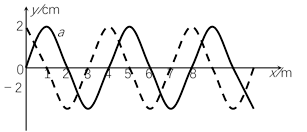
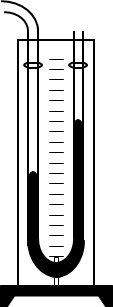
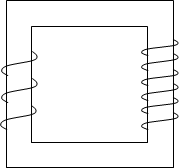
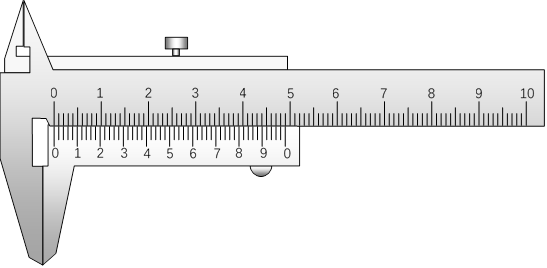
What you get
Every figure is a vector shape in the document. Recolour one part, move a single arrow of a circuit, add your own labels, or lift a piece out of one diagram into the next worksheet.
889 ready-made drawings
Physics apparatus and circuits, chemistry glassware, electronics symbols and gates, maths graphs and geometry, plus the symbol and phonetic sets.
6 calculators
Type the numbers and the calculator works out the result, then inserts it as editable shapes with the working still visible on the page.
Editable shapes
It arrives as Word vector shapes: resize it, recolour it, or print it in black and white. It behaves like anything else you drew in Word.
Works offline
The library lives on the computer, so insertion keeps working on a school laptop with no wi-fi, in airplane mode, or in the middle of an exam.
Inserts as Word vector shapes in the document. Resize it, recolour it, print it, or send the file on - it behaves like anything else you drew in Word.
Works offline
The library lives on the computer with the product. A classroom with no wi-fi, a school laptop in aeroplane mode, an exam room: insertion keeps working.
Two versions, one library
The same 889 drawings and the same version number. The difference is how each one reaches Word - and the desktop version is the one you can install today.
Science Teacher Helper classic
The whole library as a Word template with a docked toolbar. Install it once, then it runs with the network off - the version for locked-down school machines and exam rooms.
Desktop Word on Windows (2016 through Microsoft 365), with macros allowed for the template (the installer registers the folder as a Word trusted location). No internet connection needed - the library, the trial and everything else work offline
Science Teacher Helper add-in
A task pane on the right of Word: search the library, click a drawing, and it lands at the cursor. It will run in Word on Windows, on Mac and in the browser, and update itself.
Word on Windows, Mac or the web (Microsoft 365 or Office 2019+), and an internet connection while the pane loads
The library, subject by subject
Counted from the catalogue rather than typed in by hand, so the numbers match what ships. Every entry has a name you can search for in the task pane.
| Library | Drawings | Including |
|---|---|---|
| Calculators | 6 | Area, Volume |
| Chemistry | 138 | Case and canal, Experiment set, Measure, Other |
| Electronics | 260 | Basic, Communication, Logic gate, Connects, Switch relay, Transformer coil, Tube semiconductor |
| Mathematics | 130 | Algebra, Geometry |
| Physics | 265 | Basic, Calorific, Electricity, Experiment, Mechanics, Optics |
| Symbols | 90 | Common symbols, Phonetic |
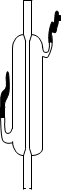
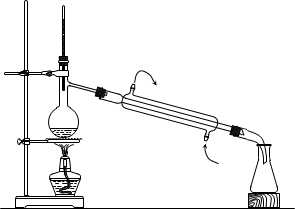
Subjects open as categories, and every category opens as a grid of named drawings - the same names the search box matches. See a sample of each.
How it works
-
Install once
Run the installer, or copy the classic template into Word's STARTUP folder - minutes rather than an afternoon. The add-in will install itself from the Microsoft 365 admin centre when it ships.
-
Find the drawing
Subject, category or search - type
capacitor,convex lensorresistorand the grid filters as you type. Names are English, and every drawing also carries its own keywords. -
Click to insert
The drawing lands at the cursor as vector shapes, sized for a worksheet, with a description already attached for screen readers and for anyone who prints in black and white.
-
Make it yours
Recolour a part, delete an arrow, add your own labels, group and copy it to the next question. One click undoes the whole insert if it is not what you wanted.
One payment of US$39.99
- Science Teacher Helper classic (desktop, available now)included
- Science Teacher Helper add-in (in development)follows later
- Every feature of version 3.1included
- Compatibility fixes released for version 3.1included
- 7-day trialno card needed
- 30-day refund windowthrough Waffo Pancake
- Next major versionUS$14.90 upgrade
Buying for a department or a whole school? We quote per school.
Questions teachers ask first
Is this a subscription?
It is a licence, not a rental: one payment of US$39.99 covers version 3.1 and you keep using it, with no card on file.
Does it work with no internet?
Yes. The library, the trial and the licence key are checked on your own computer, so the desktop version keeps working with the wi-fi off, in airplane mode, or in an exam room. The add-in checks its key the same way, and reaches the licence service only when a connection happens to be there.
Home laptop and school desktop?
The licence covers one teacher and the machines they personally use - usually a school laptop and a home computer.
Do my students need their own licence?
Not for the documents you hand out: a drawing is part of the .docx and prints, projects or uploads with it. A student who needs to draw their own would need a licence of their own; ask us about a class licence instead.
What happens when a new major version arrives?
Your version keeps working and keeps receiving compatibility fixes. Moving to the next major version costs US$14.90 (the v3.1 upgrade pack).
Try the whole library for 7 days
Every drawing, no card. If it does not suit the way you teach, write to us within 30 days and we will take it up with Waffo Pancake.